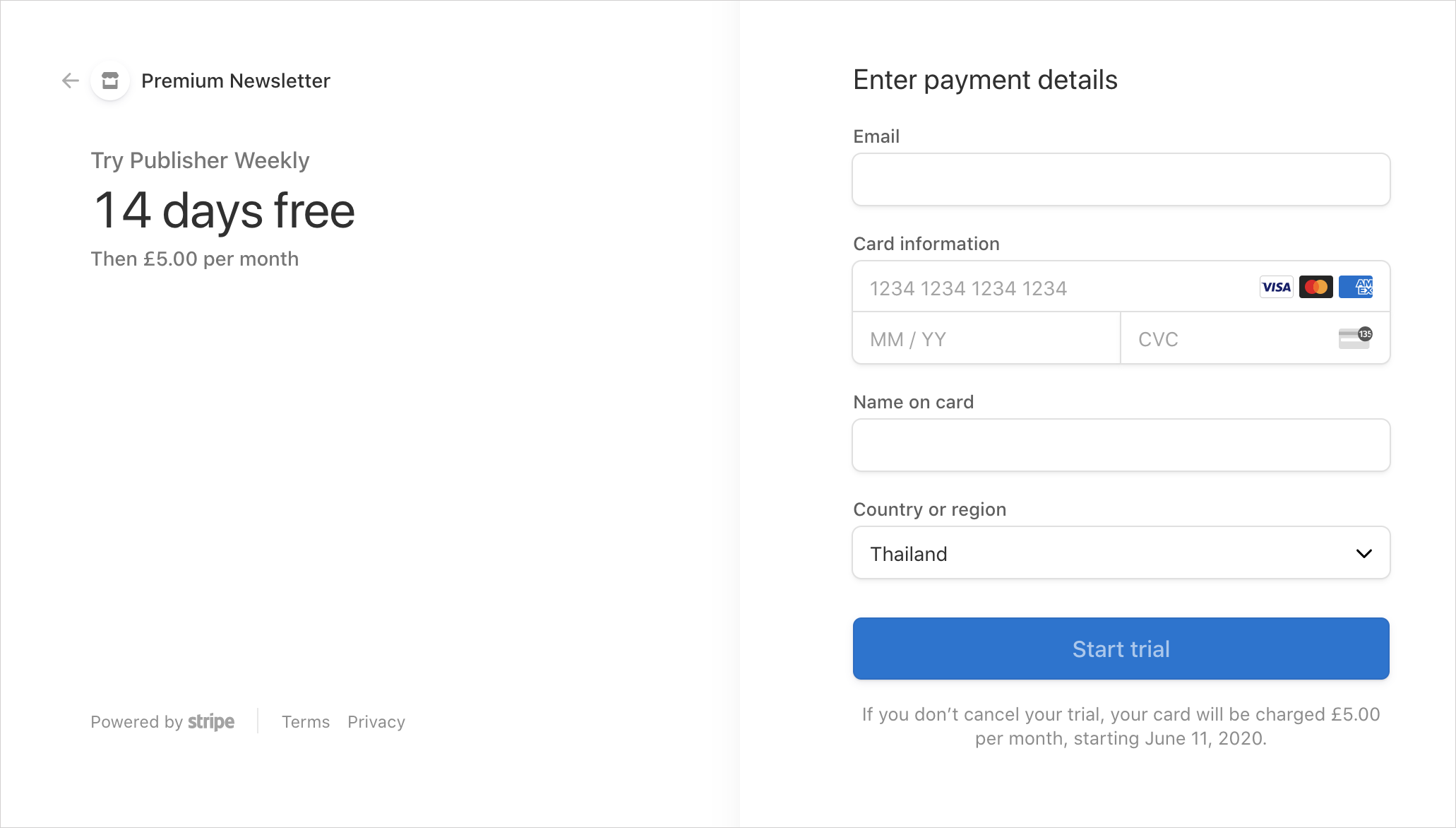
Offer your members a free trial to get even more member signups and increase conversion rates.
It's possible to add an optional free trial period for all members who subscribe to a paid plan on your Ghost Members site. All you need to do is make a few adjustments in your Stripe account, the rest is handled for you.
Add a free trial using Stripe
If you'd like to give new members the opportunity to try out your memberships for free, use the following steps to add a free trial in Stripe.
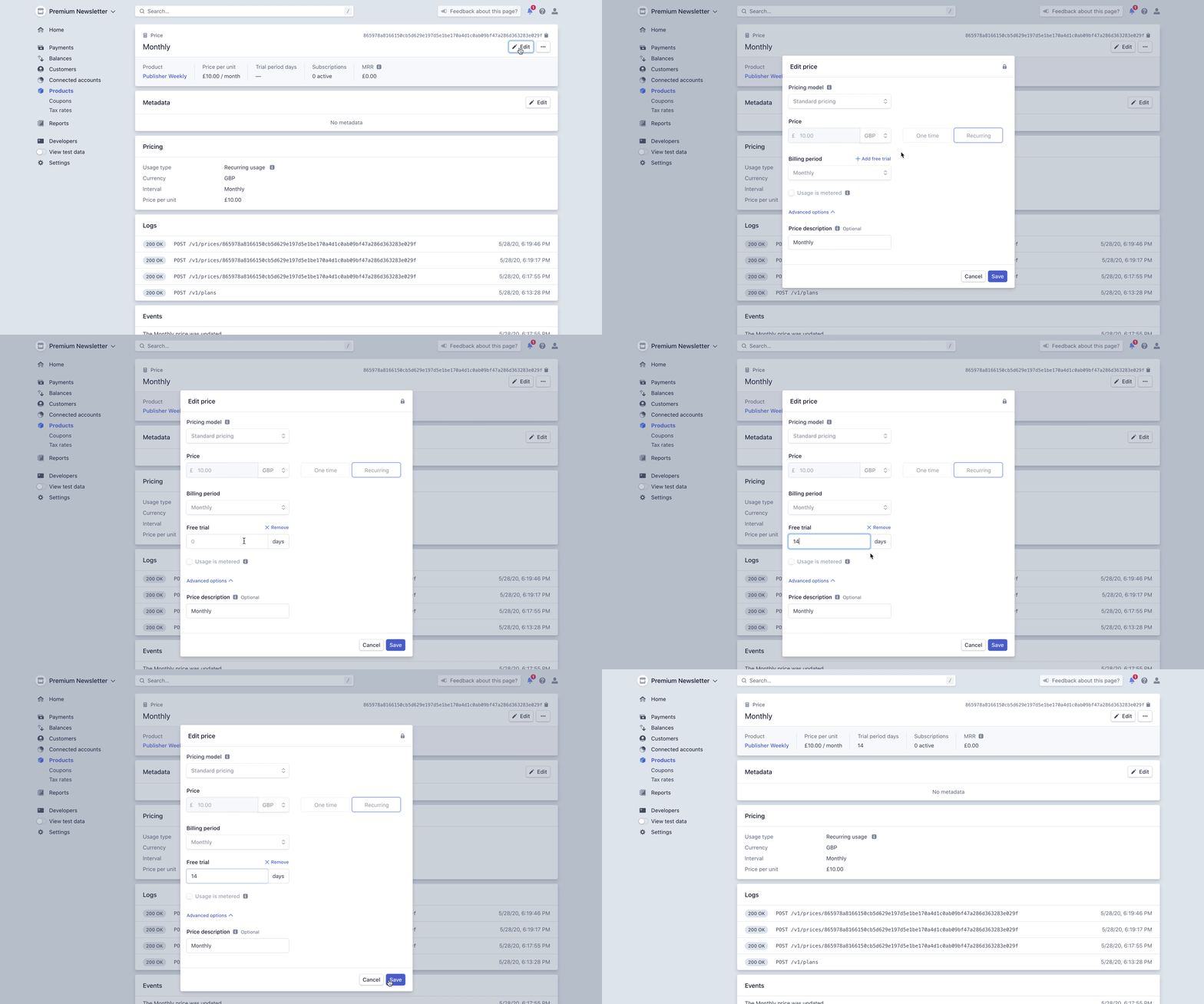
Once you have successfully entered your Stripe API keys, chosen a currency and added your pricing within Ghost, navigate to the Products page in Stripe, and click on your site's name. In here you'll find the plans you just created.
Open your monthly plan, and click the edit button at the top, then click Add free trial and enter the number of days you'd like to offer for free. Click save and repeat with your annual plan.
When your visitors sign up for a subscription, they'll see your free trial offer on the check out screen. New members will be required to enter credit card information, but won't be billed until the trial period is over.