Manage, track, moderate and support your members with ease using the Ghost members dashboard.
The member dashboard keeps everything in one place, allowing you to search for members, add notes, import and export lists and more. This makes it easy to perform simple member admin tasks and keep track of how your membership business is performing.
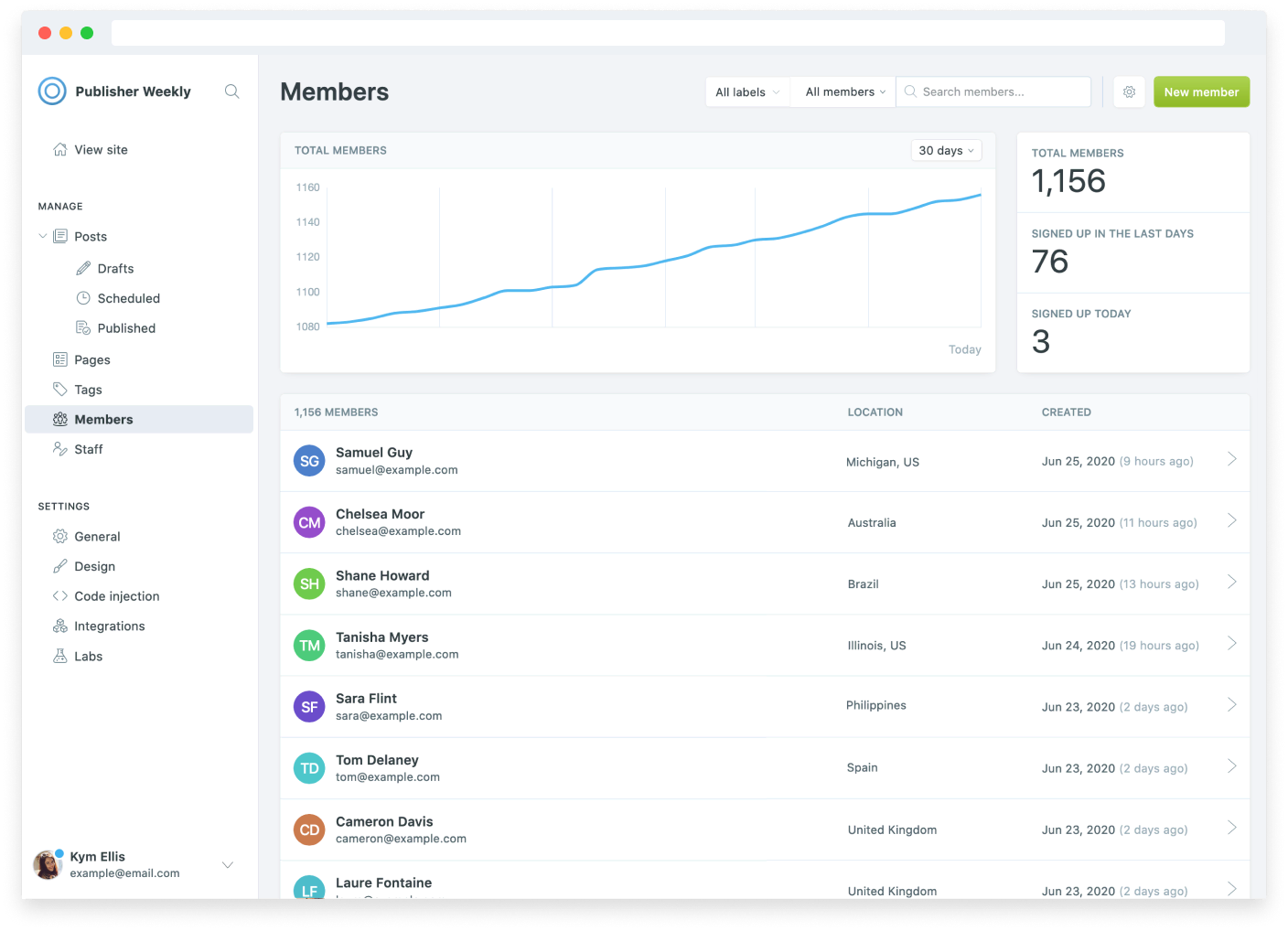
Member profiles
Each member has a profile with all of the information you'll need at a glance:
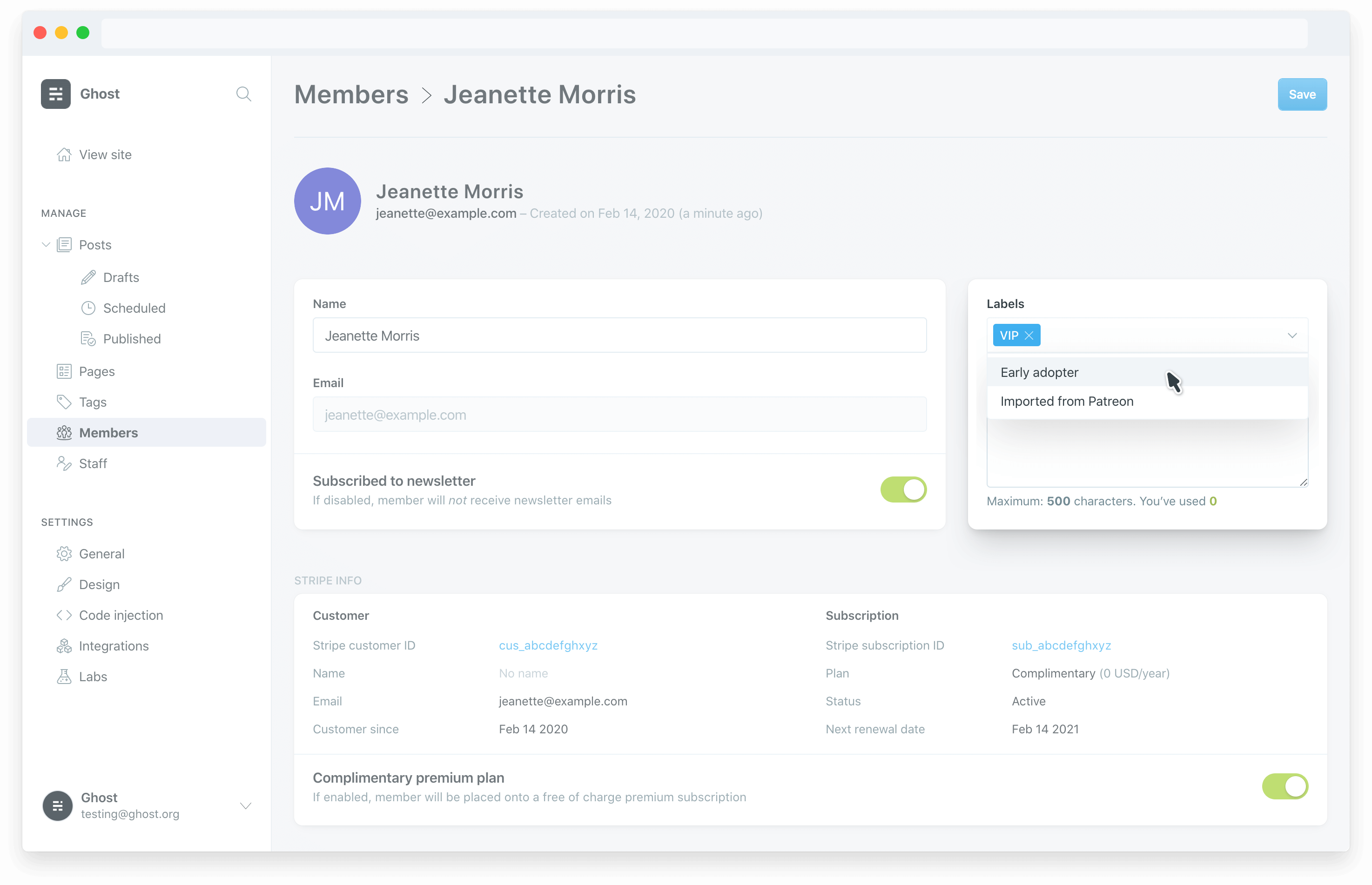
Name & notes
You can add a member's name and additional notes about their subscription or any other useful information that you want to save for later in the basic info section.
Subscribed to newsletter
This allows you to manually subscribe or unsubscribe people from receiving emails sent from Ghost. All email newsletters sent from Ghost also have an unsubscribe link by default which will change a members status to unsubscribed when clicked.
Labels
Segment your members in any way you like, with sensible labels. It's possible to add labels manually or via a CSV import.
It's also possible to apply labels automatically via the API in your themes signup form, or using the Zapier integration.
Quick access billing in Stripe
A handy link to the Stripe customer ID allows you to quickly access a member's profile in your Stripe account. This is useful if you need to address billing issues, change their plan or apply credit.
Check out the Stripe Dashboard docs to find out more about managing your Stripe account.
Deleting members
It's always a good idea to give your members some contact information in case they need to contact your about their subscription, or have an queries.
Ghost allows your members to self-manage their subscription using cancel links that appear on the member's account page. It's also possible to delete a member and all their data from within their member profile if you need to.
Accounts, cancellations & support
There are a number of sensible features that help you manage your membership business and provide the best possible support to your customers.
Complimentary plans
Ghost can create complimentary plans for when you need to give people access to paid-members only content, for free. A complimentary plan can be switched on or off from the member dashboard, or you can import members on a complimentary plan directly using CSV imports or the API.
Member accounts
It's possible for your members to manage their own subscriptions from a custom account page when they're logged in to your site.
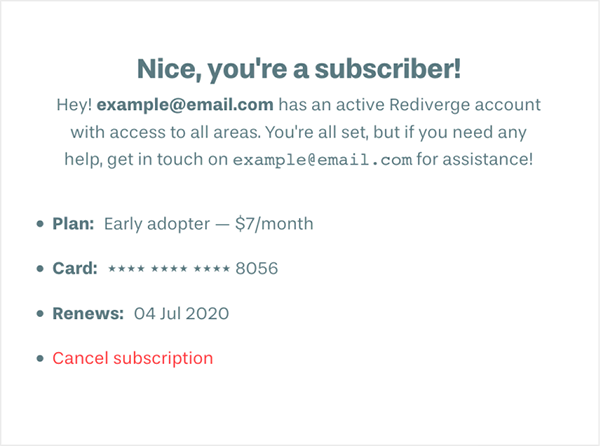
Cancellations
Paid-members are automatically moved back to non-paying members if their Stripe subscription is canceled or lapses — for example if their credit card is declined too many times.
Support
We always recommend providing a way for your customers to contact you for billing issues. Since Ghost is connected to your own Stripe account, you can quickly access all billing information securely directly via your Stripe account dashboard.
Impersonate account
Ghost also gives you the option to impersonate any Member's account from the Membership dashboard. This provides you with a direct way to troubleshoot any issues your members may have with your site.
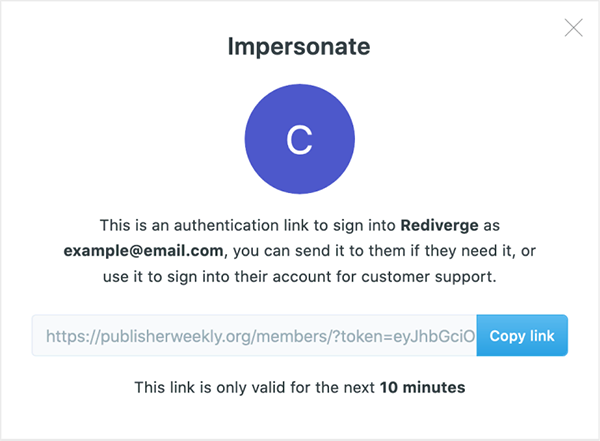
You can also use impersonate links as a method of helping members access your site if they're having trouble with their email provider.