Imports and exports
Publishing with Ghost gives you full ownership and access to your content and data, with sensible JSON exports available at any time.
We can help you migrate for free! To find out more about migrating to Ghost from other platforms, read the migration documentation.
Imports in Ghost
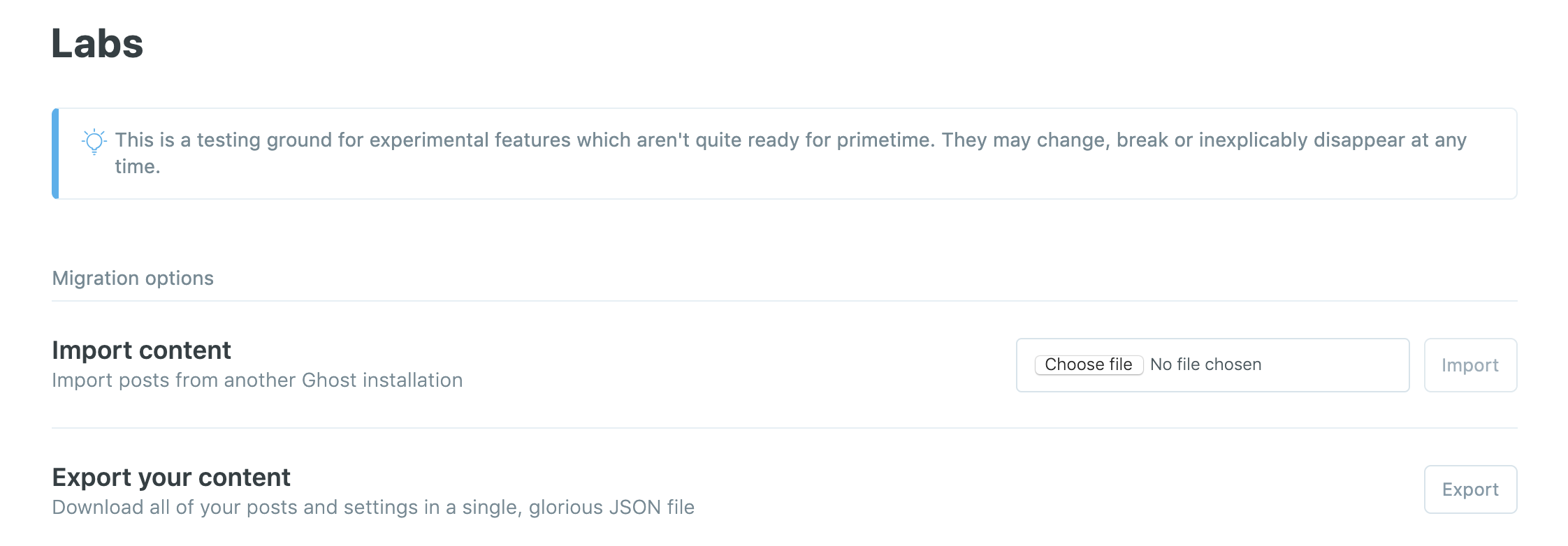
To import an existing JSON file into Ghost, use the Import button found in the Labs settings in Ghost Admin. Imports must be a valid JSON file in order to work.
If you encounter issues and you're a Ghost(Pro) customer, reach out to our support team for further advice, or head to the forum for community support if you're self-hosting.
Exports in Ghost
When you hit the export button from the settings in your Ghost publication, your posts and settings will be downloaded in a single JSON file. The following content and data will be exported:
- All Settings
- Users
- Subscribers
- Posts
- Pages
- Tags
The following content won't be exported and should be backed up individually:
- Theme files
- Images
Your theme files can be downloaded into a single .zip file from the design settings page in Ghost admin. If you're self-hosting all user-provided data such as images and themes exist in the /content/ folder.
If you're a Ghost(Pro) customer and would like a publication image directory, email us and we'll provide this for you.