Migrate from Substack and import your content to Ghost with this guide
We can do this migration for you, for free!
Save time and let the Ghost team do all the work on your behalf; no coding, no configuration, no worries. This migration is included with any Ghost(Pro) Basic Annual plan or higher.
Additionally, we can remove the 10% Substack fee from your existing subscriptions for you (this is not included in the guide below) so you can keep all your revenue 👉
Exporting your subscribers
To get started, export your current Total Email List in CSV format. This exports your entire Subscriber list from Substack:
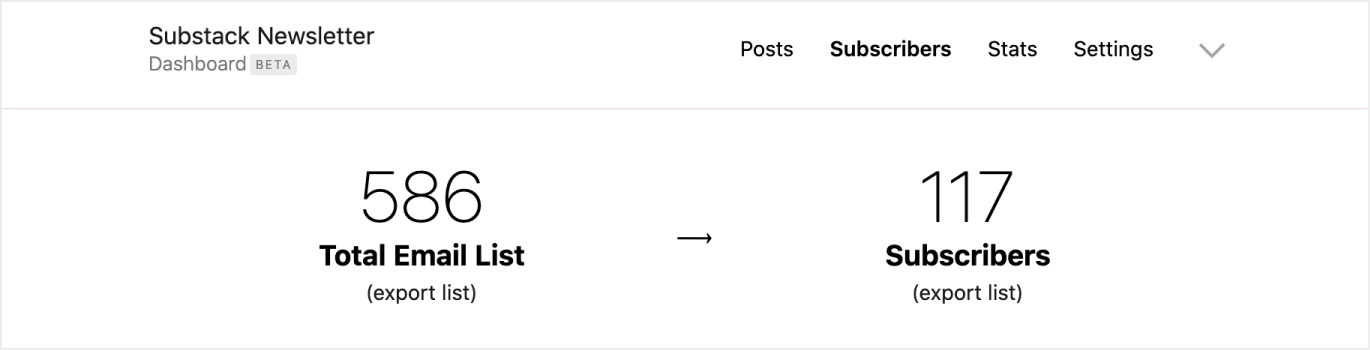
If you're also migrating paid subscribers, you'll need to export the Stripe ID's of your customers by exporting the Subscribers list, which downloads a separate CSV with this information included.
Now you'll have all of the the email subscriber and customer data required to migrate from Substack to Ghost.
Import subscribers to Ghost
We recommend preparing the data in your CSV using our guide on importing members in Ghost. Alternatively, we can do this work for you with any Ghost(Pro) Basic Annual plan.
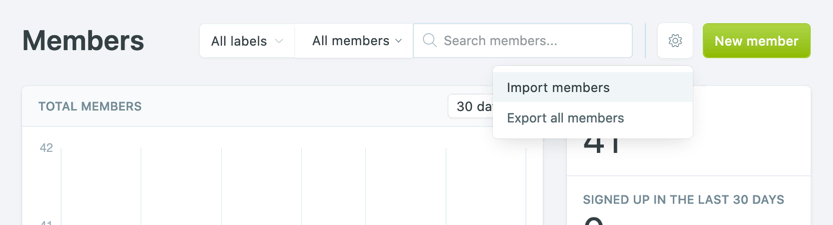
Once you're happy that you subscriber data is complete, under the Ghost Admin members settings, select the import option from the settings menu.
Upload your CSV file to Ghost, and map each of the fields contained in your CSV to the corresponding fields in Ghost. The email field is required in order to create members in Ghost, while the other fields are optional.
Importing paid members
To import paid members with an existing Stripe subscription, you must import their Stripe customer ID.
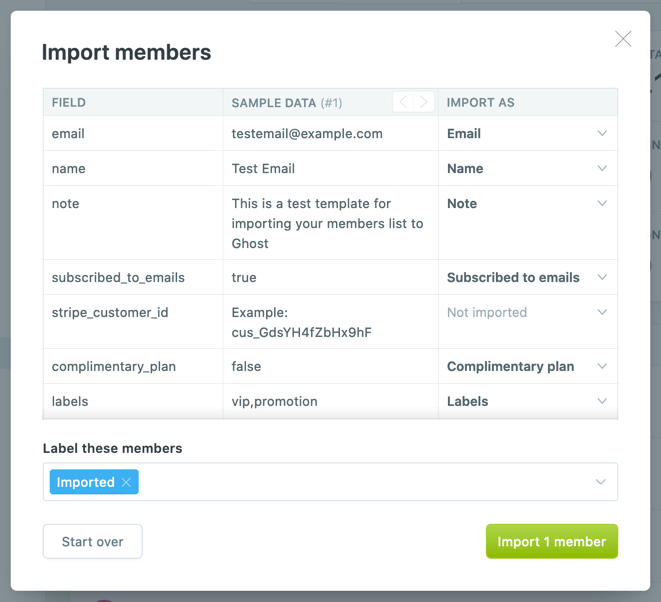
Once the import has completed, all your subscribers will be migrated to Ghost.
Importing subscribers with a comp or gift plan
If you've provided any of your subscribers with a free or gifted paid access to premium content in Substack, you can also give them free access to paid content in Ghost by importing their email address with the Complimentary Plan column flagged as true in your CSV import.
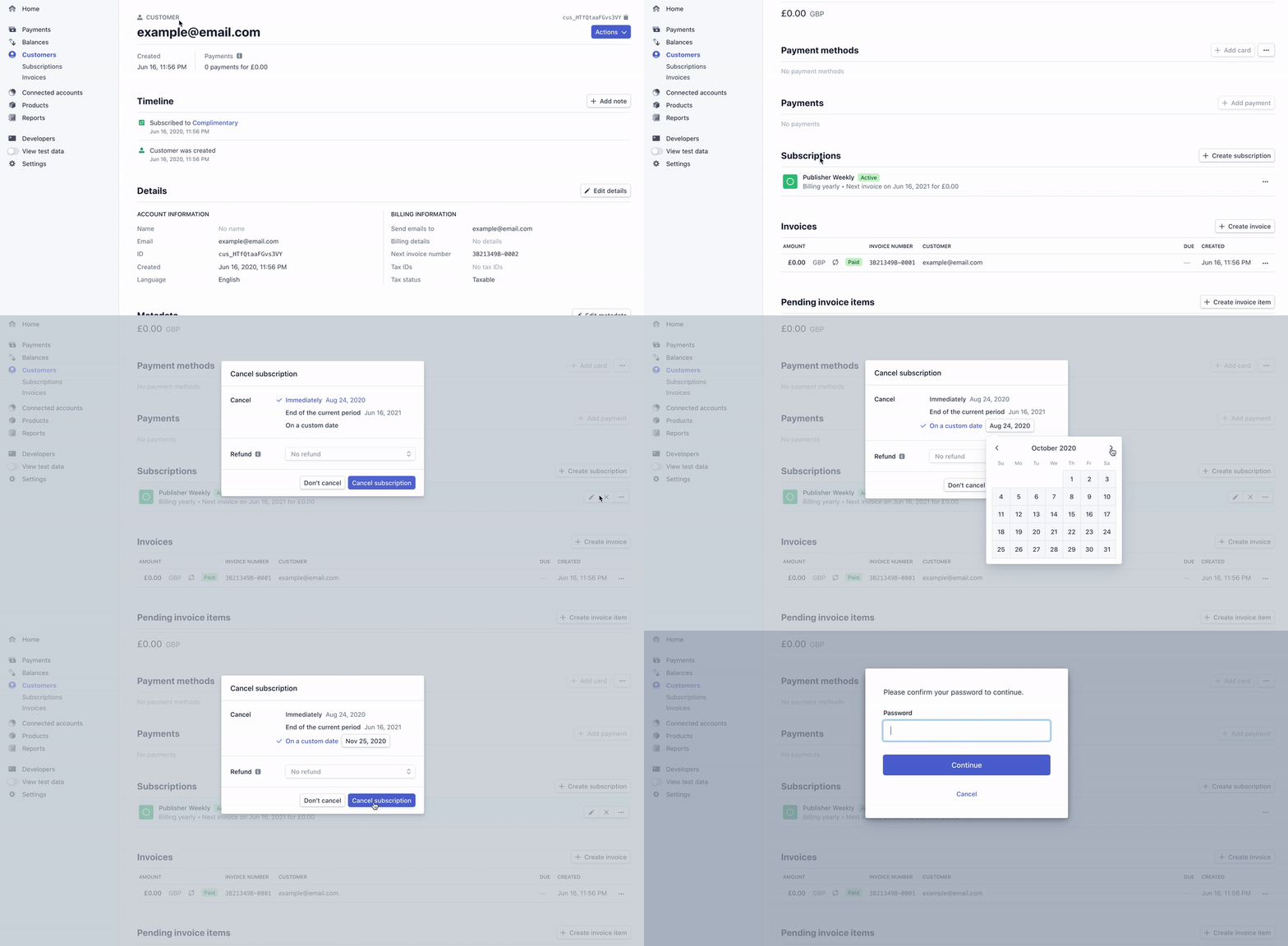
This provides these members with unlimited free access to premium content on your Ghost publication with an access level of paid-members only. If you'd like your members complimentary access to expire after a specific date, the easiest way to do this is to edit the complimentary subscription directly in Stripe and schedule the date the subscription should be cancelled.
Disconnect Substack from Stripe
It is recommended that you close signups on Substack and disconnect Substack from your Stripe account as soon as you've completed your migration to Ghost, so that your data doesn't get out of sync. You can do this by going to https://dashboard.stripe.com/account/applications — and clicking on Revoke Access.
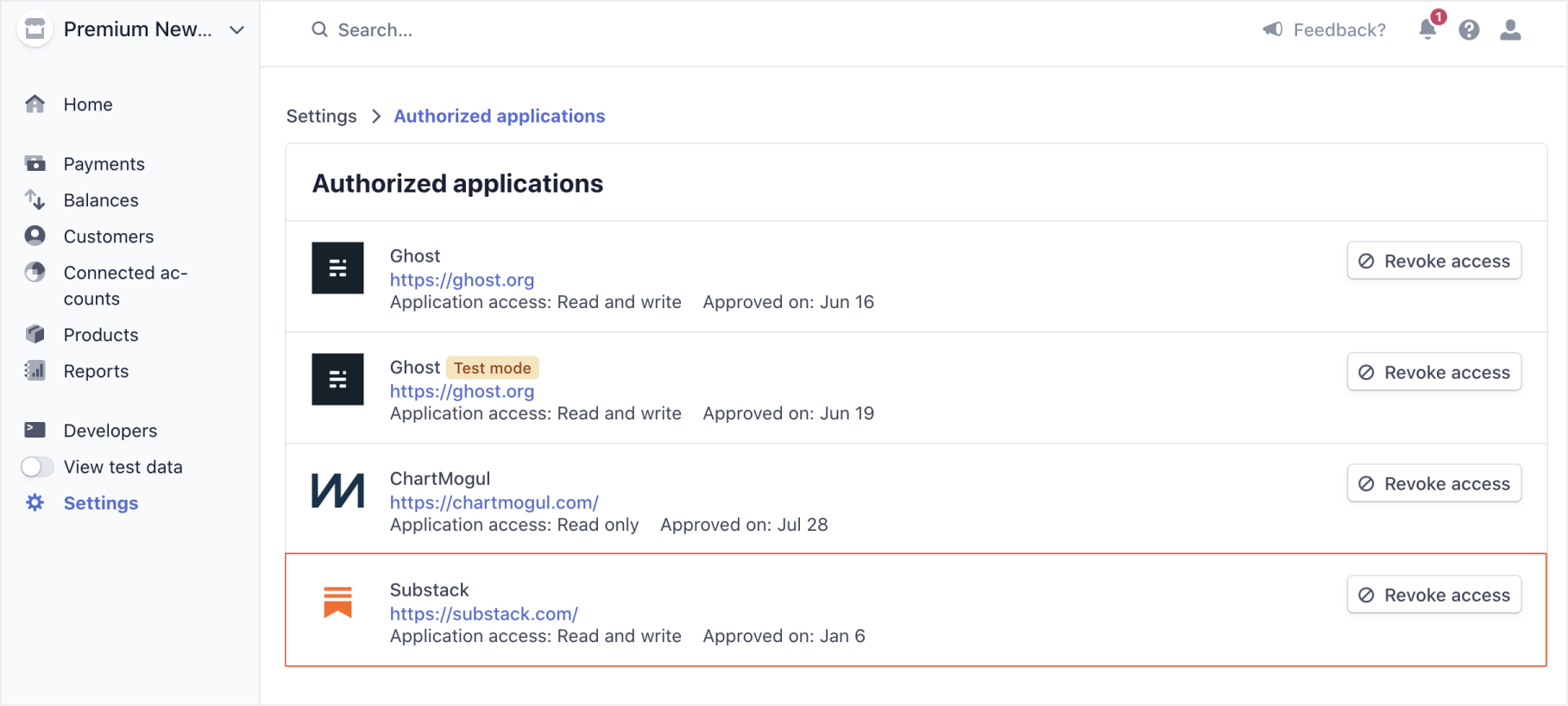
Because of how Stripe works, disconnecting will not prevent Substack from continuing to take a 10% commission on all existing subscriptions. It is possible to remove these fees from existing subscriptions, but this requires custom engineering work to run a script against your Stripe account. If you're Ghost(Pro) customer, we can do this work for you as a part of the migration, otherwise you will need to do this engineering work in-house.