Migrate from Patreon and import your Patrons to Ghost with this guide
We can do this migration for you, for free!
Save time and let the Ghost team do all the work on your behalf; no coding, no configuration, no worries. This migration is included with any Ghost(Pro) Standard Annual plan or higher.
Overview
Since Patreon manages your subscriptions on your behalf, there is no direct migration path to move your paid subscriptions from Patreon to other platforms.
The good news: Ghost makes it possible to import all of your existing patrons and give them access to premium content, or to sync your Patreon and Ghost sites using an automation. This guide explains how to migrate your Patron list to Ghost, and keep everything in sync.
Migrating Patrons to Ghost
Ghost has an easy to use importer that allows you to migrate a list of members from any other tool, including Patreon.
This method is useful if you're planning to turn signups in Patreon off and have all new members sign up via Ghost, but still need to give your existing Patrons access to your new Ghost Publication.
Export your subscribers
To get started, export your current subscribers in CSV format from this page in your Patreon account.
Import subscribers to Ghost
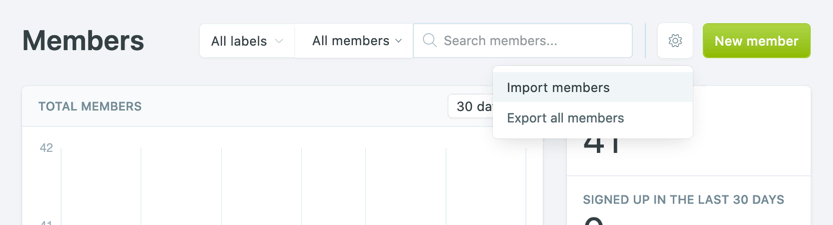
Under the Ghost Admin members settings, select the import option from the settings menu.
Upload your CSV file to Ghost, and map each of the fields contained in your export file to the corresponding fields in Ghost. The email field is required in order to create members in Ghost, while the other fields are optional.
If you'd like to give these members access to content with an acceess level of paid-members only but retain their subscriptions in Patreon, you can give them unlimited access by setting their complimentary_plan status to true — read more about Member imports.
Once the import has completed, all your subscribers will be migrated to Ghost. There's nothing else you need to do, members can now log into your site and receive email newsletters.
Running Ghost alongside Patreon
It's also possible to use Zapier or the Ghost API to keep your Patrons and Members in sync in both platforms. This is useful if you're giving your audience on Patreon access to premium content on a custom Ghost site as an additional perk, or if you're accepting signups on both platforms.
To find out how to connect Ghost with Patreon, check out our integration.