?
How do I change my ghost.io subdomain?
»
You can change your publication subdomain at any time from the domain settings page in your Ghost(Pro) account.
Log in to your Ghost.org account and navigate to the domain settings by clicking the More link in the bottom corner of your domain:
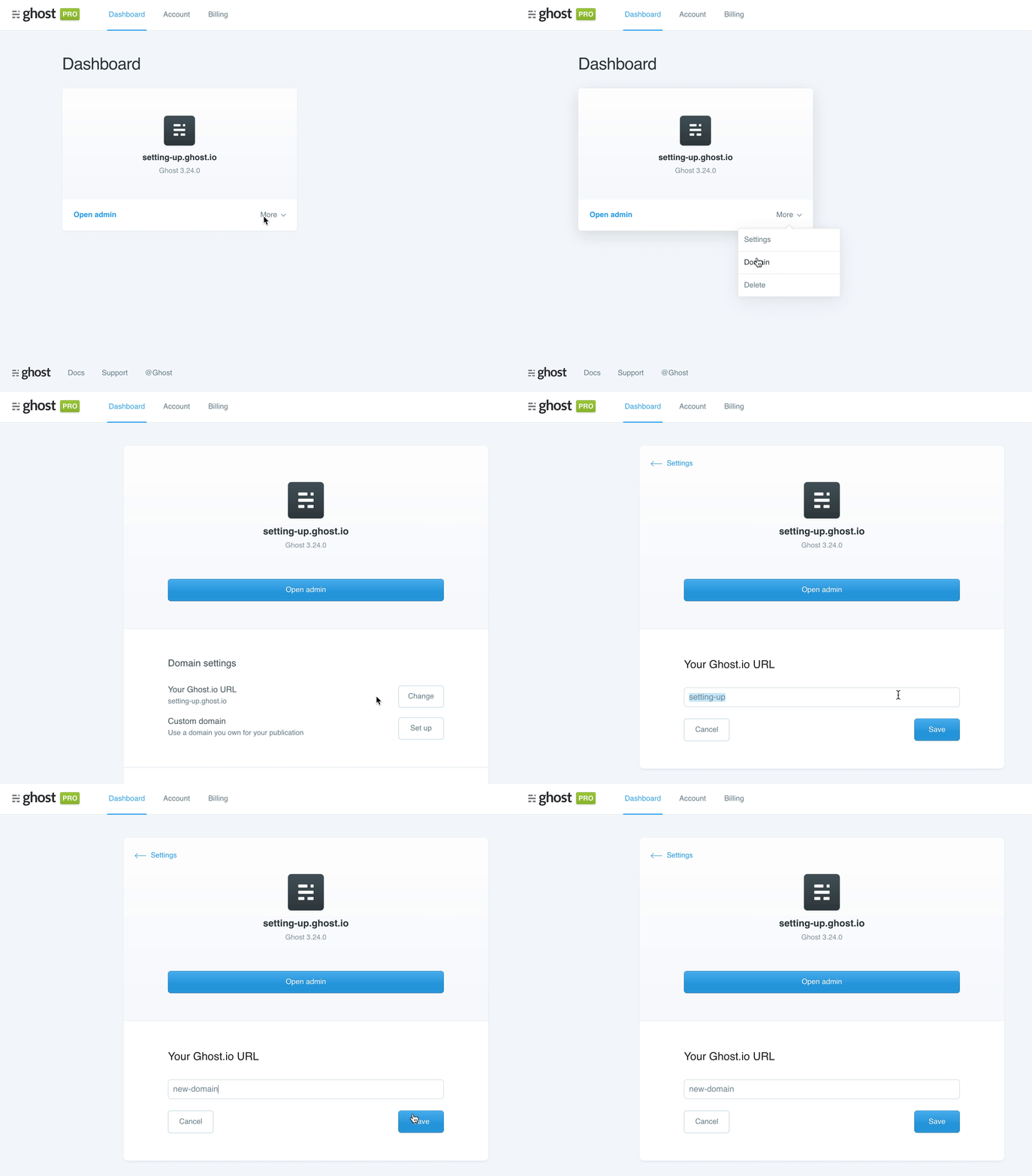
From here you can select a new Ghost.io URL by clicking the Change button. Once a new subdomain has been set, your publication will not longer be available at the old URL.
If you would like to use a branded custom domain instead of a ghost.io subdomain, refer to the custom domain setup guide.